MiniMax H4 AI UGC Video Generator for creator-style scene concepts
Explore an approachable creator holding an item or noticing a useful detail. The MiniMax H4 AI UGC Video Generator builds short scenes from your uploaded first frame. Use the MiniMax H4 AI UGC Video Generator for an AI creator-style concept, never a fabricated account of a real customer’s experience.
Video workspace
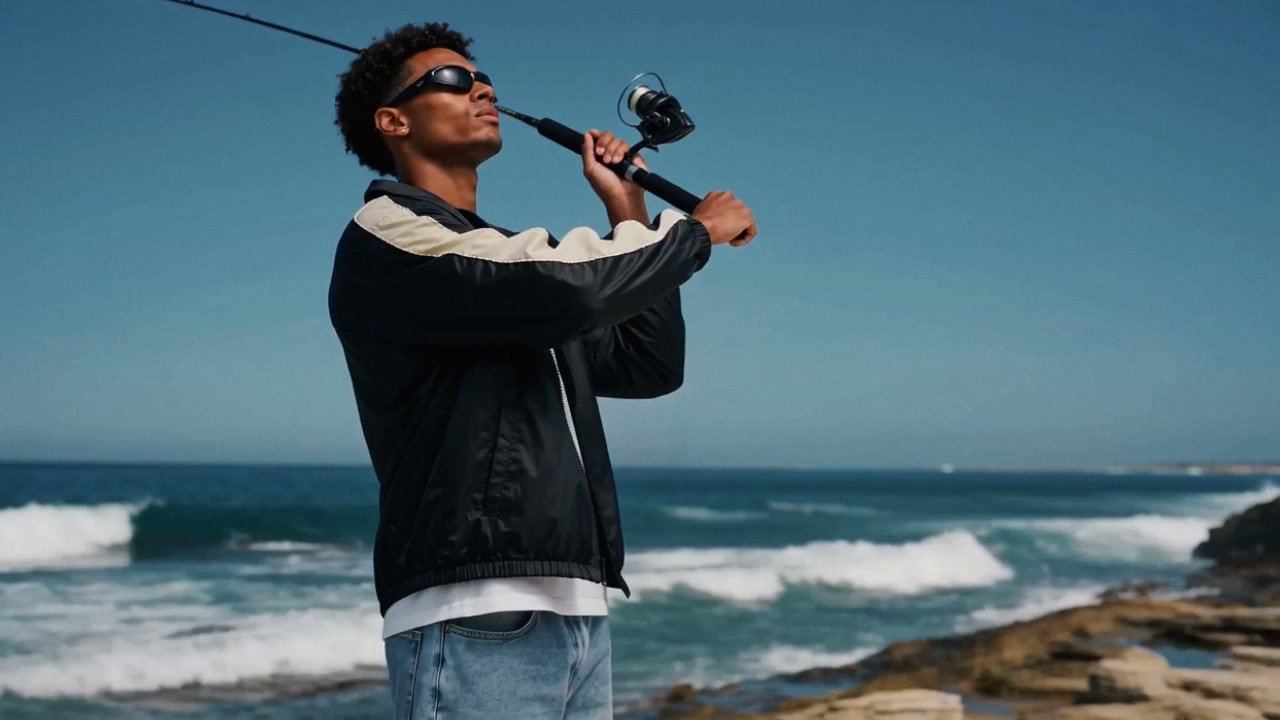
A natural look at the fishing gear
9/10View prompt
Use the uploaded seaside image of the adult man holding a fishing rod as the opening frame. Create a casual five-second shot as he adjusts his grip and gently angles the existing equipment into view. Keep his appearance, clothing, coastline, and rod recognizable. Add subtle wind and water ambience, with observational body language and no spoken endorsement.
Introduction
Give the MiniMax H4 AI UGC Video Generator a relatable moment
Give the MiniMax H4 AI UGC Video Generator one everyday interaction, with an adult subject, a relevant item, and a clear final pose.
Choose a familiar interaction
A creator lifts an item from a desk, looks at one feature, and returns it gently. This gives the MiniMax H4 AI UGC Video Generator an everyday moment to interpret. The scene can feel approachable without inventing a personal history or an elaborate product demonstration.
Make the concept’s status clear
Creator-style describes a visual approach, not proof that someone bought or endorsed the item. Build the MiniMax H4 AI UGC Video Generator brief around an authorized adult subject or a fictional adult concept. Do not assign a real person an experience or opinion they never provided.
Start with the supported workflow
Choose MiniMax H3 Max Turbo image mode and upload one required first frame. The MiniMax H4 AI UGC Video Generator starts at five seconds and 480P, supports five to fifteen seconds, and offers 480P, 768P, or 1080P. An ending image is optional; native audio accompanies generation.
How to use
How to use the MiniMax H4 AI UGC Video Generator
- Input
 Reference image 1STEP 1
Prepare the first frame
Select MiniMax H3 Max Turbo image mode in the MiniMax H4 AI UGC Video Generator and upload an authorized adult creator-style reference image.
- ModelMiniMax H3 Max Turbo480P16:95sPromptOutputSTEP 2
Describe a natural gesture
Give the MiniMax H4 AI UGC Video Generator one modest action involving the existing subject and item, with relaxed expression and consistent surroundings.
- First frameLast frame
 0.0s
0.0s 2.6s
2.6s 4.7sSTEP 3
Generate a brief scene
Start the MiniMax H4 AI UGC Video Generator at five seconds and 480P, review the displayed credits, and generate your creator-style concept.
- STEP 4
Review the complete portrayal
Check MiniMax H4 AI UGC Video Generator faces, hands, product details, and sound before using the result as a clearly identified creative concept.
Features
Prepare a useful MiniMax H4 AI UGC Video Generator opening image
Prepare an MiniMax H4 AI UGC Video Generator source that already places the adult subject, item, and surroundings in a useful composition.
Show the intended adult subject
Choose an authorized adult image with a visible face and natural posture. The MiniMax H4 AI UGC Video Generator can develop a small gesture from that frame. A heavily cropped face leaves less guidance for body position, hand placement, or the item being discussed.
- Use a source that supports the intended camera distance.
- Keep MiniMax H4 AI UGC Video Generator faces clear of distracting foreground objects.
Include the relevant product relationship
When the subject will hold an item, show a believable grip in the opening image. If it rests on a desk, make the contact clear. The MiniMax H4 AI UGC Video Generator should begin from a useful arrangement instead of inventing every detail of a complicated pickup.
Prepare the framing before uploading
Image proportions follow the source. Prepare a vertical first frame for a vertical concept, with room around the head, hands, and featured object. The MiniMax H4 AI UGC Video Generator cannot guarantee that an unsuitable source will become a complete, well-framed portrait through prompt wording alone.

Direct MiniMax H4 AI UGC Video Generator gestures without overacting
Give the MiniMax H4 AI UGC Video Generator a readable sequence of attention, action, and pause rather than constant exaggerated enthusiasm.
Use a believable change of attention
Ask the subject to look from the camera toward the item before moving it slightly. This gives the MiniMax H4 AI UGC Video Generator a reason for the gesture. Keep the expression relaxed rather than requesting an exaggerated reaction that overwhelms the object or situation.
- Let the gaze indicate what viewers should notice next.
- Give the MiniMax H4 AI UGC Video Generator one expression change per short shot.
Keep hand movements modest
A small lift, gentle turn, or brief pointing gesture is easier to assess than a sequence of opening and assembling. Tell the MiniMax H4 AI UGC Video Generator which hand moves and where it finishes. Watch fingers and the object together when their edges overlap.
Leave time after the gesture
A pause lets viewers recognize the item and the completed action. Give the MiniMax H4 AI UGC Video Generator a settled ending instead of continuous motion until the last frame. This also creates a more useful place for your separate layout or editing workflow to continue the story.

Keep MiniMax H4 AI UGC Video Generator storytelling grounded
Direct the MiniMax H4 AI UGC Video Generator toward observable interactions and accurate products, keeping creator-style concepts separate from actual customer testimony.
Show the object instead of claiming an outcome
Let the subject present a visible feature already supported by the reference. The MiniMax H4 AI UGC Video Generator should not be asked to invent a before-and-after result, personal purchase story, or measured improvement. The visual can explain what is present without pretending to prove more.
- Base visible product details on the approved source material.
- Keep MiniMax H4 AI UGC Video Generator concepts distinct from real customer statements.
Use surroundings that support the moment
A simple desk or quiet room can make the gesture easy to follow. Keep the MiniMax H4 AI UGC Video Generator setting consistent with the source rather than adding an elaborate lifestyle fantasy. Unrelated trophies, certificates, or company signs may introduce implications that the scene does not need.
Keep separate messages in separate shots
A greeting, close-up, and final invitation are different visual jobs. Choose one for each MiniMax H4 AI UGC Video Generator request. Assemble selected moments separately rather than asking one short generation to perform every part of a complete creator video.

Give the MiniMax H4 AI UGC Video Generator a considered casual look
Use MiniMax H4 AI UGC Video Generator framing, light, and sound to support a natural gesture without making the scene unnecessarily busy.
Keep the camera easy to follow
A steady eye-level view can feel direct without constant handheld movement. Ask the MiniMax H4 AI UGC Video Generator for a subtle camera drift only when it serves the reference. Excessive motion may hide hand errors or make a simple presentation unnecessarily difficult to watch.
Use soft light that fits the room
Describe gentle window light or another plausible source matching the opening image. The MiniMax H4 AI UGC Video Generator should not make the subject appear under studio spotlights while the room remains softly lit. Check facial highlights and shadows on the product together.
Keep audio demands proportionate
Turbo creates native audio, so describe quiet room atmosphere and a small contact sound when appropriate. Do not make exact spoken claims essential to the MiniMax H4 AI UGC Video Generator brief. Listen for unintended speech, and handle any wording requiring precision through an appropriate separate production process.
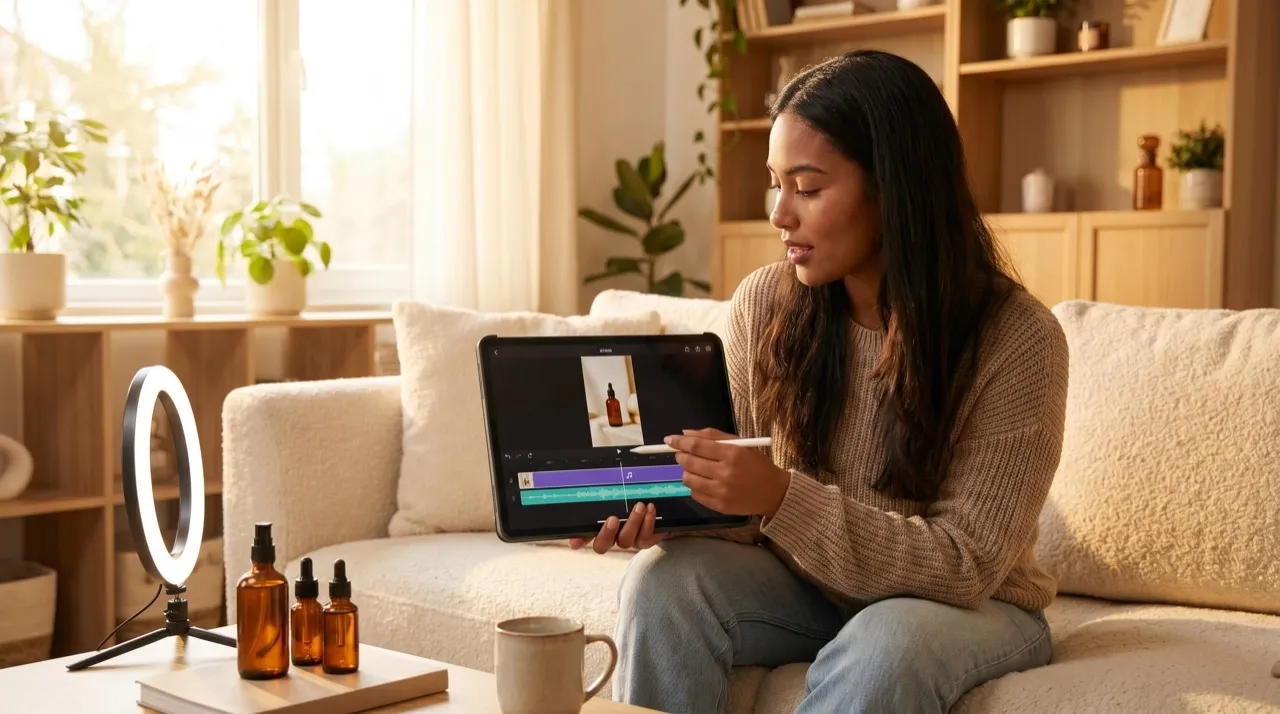
Review MiniMax H4 AI UGC Video Generator results as complete scenes
Inspect MiniMax H4 AI UGC Video Generator output for consistent subject details, accurate products, and a natural performance throughout the clip.
Check faces and hands in motion
Watch the eyes, mouth, fingers, and hair as the person changes direction. The MiniMax H4 AI UGC Video Generator may reinterpret those details during movement. Compare with the source, especially when a hand crosses the face or the subject looks down at the item.
Verify the featured item
Inspect the shape, label, and relationship between the hand and object throughout the clip. MiniMax H4 AI UGC Video Generator output can make a product look plausible while changing a meaningful detail. Reject candidates where the item no longer matches what the scene is intended to present.
Refine and prepare for your own publishing
Keep the strongest reference arrangement and revise one weak gesture or camera instruction. Review displayed credits before another MiniMax H4 AI UGC Video Generator request. Download approved concepts and handle final text, disclosures appropriate to your context, and publishing separately; generation does not post through your accounts.

Example prompts
A relaxed product presentation
Use the uploaded opening image for the authorized adult subject, featured item, and setting. Over five seconds, the subject looks briefly toward the item, lifts it slightly, and settles into a relaxed pose. Keep the grip simple, face visible, and camera steady. Aim to retain recognizable appearance and product details. Quiet room ambience, no spoken testimonials, added claims, captions, or new objects.
A small detail receives attention
Use the supplied first frame and optional last frame for one five-second creator-style concept. The existing adult subject makes one gentle pointing gesture toward a visible feature of the existing item, then rests the hand. Maintain the intended composition and soft lighting, with minimal camera movement. Subdued contact sounds and room atmosphere. No invented personal experience, narration, logos, or scene cuts.
User reviews
MiniMax H4 creator workflow examples.
MiniMax H4 creator workflows

Create a short MiniMax H4 game scene using a character reference and a clear action. Compare the generated character, interface details, and motion with the source before using the result.

Explore an animation look in MiniMax H4 with a focused visual brief. Keep a style reference, test one motion at a time, and inspect consistency between shots.

Use product photographs to plan a MiniMax H4 listing video. Review the actual packaging, visible labels, and generated audio; assess campaign results using your own measurements.

Prepare a short MiniMax H4 vertical video with one subject and one visible change. Choose the ratio, preview the complete clip, and revise the prompt before publishing.

Choose an available editing model in MiniMax H4 and describe the intended change. Check preserved details, lighting, and frame continuity against the original recording.

Build a MiniMax H4 shot study before a shoot. Describe framing and camera movement, review each draft, and keep the result as a planning aid rather than a guarantee of the final shot.
MiniMax H4 Pricing and Credit Plans
Cancel anytime
Lite
50% off0.025 / credit
Billed $179 yearly· Save $179.8
Video Models



Image Models



- Includes MiniMax H4 and all premium models
- Up to 1 batch generation task
- Standard generation speed
- Standard generation success rate
- Standard customer support
- Commercial Use License
Standard
50% off0.017 / credit
Billed $299 yearly· Save $299.8
Video Models
Image Models
- Includes MiniMax H4 and all premium models
- Up to 4 batch generation tasks
- Priority processing speed
- High generation success rate
- Priority customer support
- Commercial Use License
Pro
50% off0.014 / credit
Billed $599 yearly· Save $599.8
Video Models
Image Models
- Includes MiniMax H4 and all premium models
- Up to 10 batch generation tasks
- Fastest generation speed
- High generation success rate
- Dedicated account manager
- Commercial Use License
Max
50% off0.012 / credit
Billed $1,199 yearly· Save $1,199.8
Video Models
Image Models
- Includes MiniMax H4 and all premium models
- Up to 10 batch generation tasks
- Fastest generation speed
- High generation success rate
- Dedicated account manager
- Commercial Use License
Pay safely and securely with























FAQ
Frequently asked questions
Does the MiniMax H4 AI UGC Video Generator create real customer testimonials?
No. It produces an AI creator-style scene from your reference and instructions. Do not present a fictional statement, purchase experience, or endorsement as a real customer’s testimony. Use actual verified customer material when that is what your message requires.
What image should I give the MiniMax H4 AI UGC Video Generator?
Choose an authorized image showing the intended adult subject and featured item in a useful composition. Clear hands, natural posture, and comfortable crop margins provide a stronger starting point than an unrelated portrait.
Can I make the subject say my script exactly?
The MiniMax H4 AI UGC Video Generator does not guarantee exact narration or mouth timing. Native audio can support the scene, but review any generated speech carefully. Keep essential wording in a separately controlled production workflow when accuracy is required.
Is a final image necessary?
No. The MiniMax H4 AI UGC Video Generator needs an opening image and accepts an optional ending frame. Add one to clarify a modest final pose, or simply describe a natural pause after the gesture.
Can I generate and publish a complete campaign here?
The MiniMax H4 AI UGC Video Generator creates short clips, not campaign schedules or account posts. Review and download selected scenes, then complete your own assembly and publishing. The generated performance does not establish audience response or campaign results.
CTA
Give the MiniMax H4 AI UGC Video Generator a relatable action
Choose an authorized opening image and one everyday gesture. Review the settings and credits, then assess the complete result as an AI creator-style concept.
Create a creator-style concept